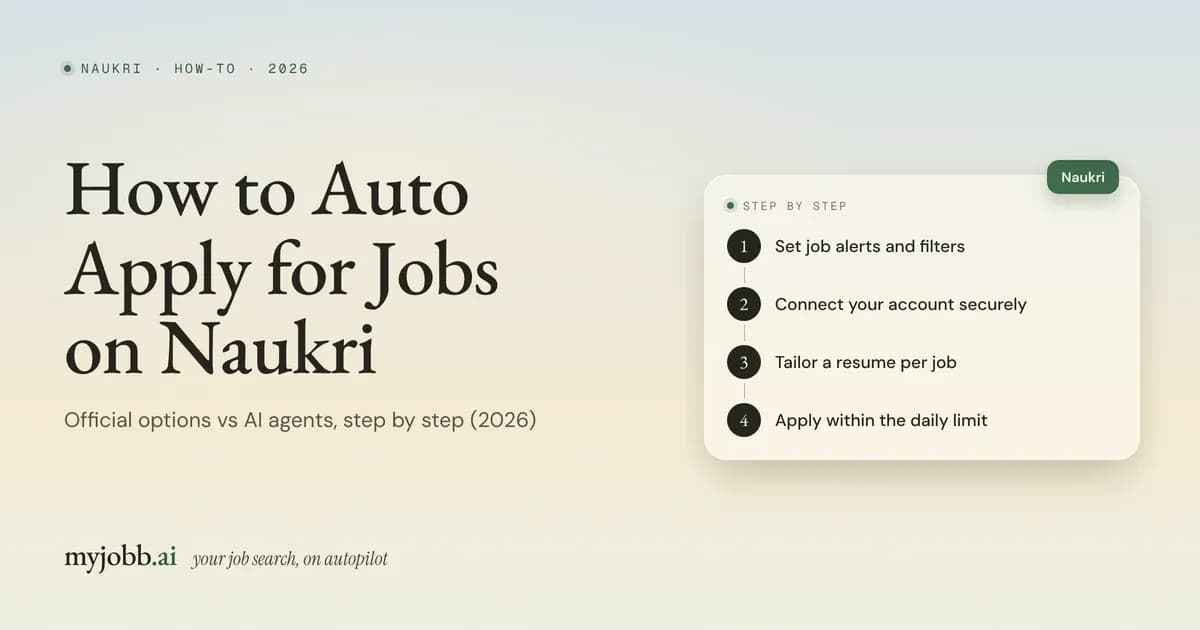
Disclosure: myjobb.ai publishes this guide and includes its own product. We describe every tool from its own website and documentation (checked October 2026) and say where myjobb is not the best fit.
Quick answer: Here's how to auto apply jobs on Naukri in 2026: turn on Naukri's own NEO agent (part of the paid Naukri360 Pro), use Naukri's free job alerts with Multiple Apply (semi-automatic), or connect an AI job agent such as myjobb.ai that applies through your own session. Whichever route you take, stay within Naukri's limit of 50 applications a day.
Key takeaways
- Naukri does have native auto-apply now: NEO, included with the paid Naukri360 Pro plan. Naukri doesn't show the price on the NEO page.
- Naukri's free tools (up to 5 job alerts, Multiple Apply, the "immediately looking" status) speed you up but don't apply for you.
- Naukri's FAQ allows a maximum of 50 applications a day (checked October 2026). The 150 figure in older help pages dates from 2017.
- Third-party agents can apply on Naukri plus Foundit, Instahyre and company career sites, but Naukri doesn't endorse them. Pick one that pauses for OTPs and asks before it guesses your CTC or notice period.
- You can't apply to 100 jobs a day on Naukri alone. It takes several portals, and relevance matters more than the count.
Prefer to skip the setup? Start free: your first 20 applications are on us. No card, no auto-renewal.
Does Naukri have auto apply? What "auto apply on Naukri" means in 2026
Yes. Naukri NEO, included with Naukri360 Pro, finds matching Naukri openings and applies for you with a resume tailored to each role. Many guides, including some updated this month, still say Naukri has no auto-apply. Naukri's own Naukri360 Pro page now lists Auto-Apply as a feature, so those guides are out of date.
"Auto apply on Naukri" can mean three different things:
- Multiple Apply (bulk apply) sends applications to several jobs you've selected, all at once. You still choose and click.
- Autofill fills in the application form for you, and you press Submit.
- Auto-apply means software finds matching jobs and submits applications for you, screening questions included. NEO and AI job agents do this.
Which one suits you depends on where you apply, what you'll spend and how much control you want.
Which method should you use? Naukri auto-apply options compared
Use NEO for Naukri-only searches, job alerts with Multiple Apply if you want it free, and an AI job agent if you also apply on other Indian portals or company career sites.
- Job alerts + Multiple Apply. Applies for you?: No, you click · Cost (as of Oct 2026): Free · Other portals?: No · Your time per day: High · Naukri account risk: None · Best for: Freshers testing the market, tight budgets
- Naukri NEO (Naukri360 Pro). Applies for you?: Yes · Cost (as of Oct 2026): Paid; price not shown on the NEO page · Other portals?: No, Naukri only · Your time per day: Low · Naukri account risk: Lowest (Naukri's own product) · Best for: Naukri-only searches
- AI job agent (for example myjobb.ai). Applies for you?: Yes · Cost (as of Oct 2026): First 20 applications free, then from ₹999/month · Other portals?: Yes: Foundit, Instahyre, Hirist, IIM Jobs; Greenhouse, Ashby, Workday · Your time per day: Low (answer what it flags) · Naukri account risk: Medium (third-party, not endorsed by Naukri) · Best for: Multi-portal searches
- Autofill extension (for example Fylla). Applies for you?: No, you submit · Cost (as of Oct 2026): Varies by tool · Other portals?: Some · Your time per day: Medium · Naukri account risk: Low · Best for: Approving every application
If you're comparing individual tools, see our ranking of the best auto apply tools for Naukri, which covers safety, daily limits and INR prices.
Want the agent route without the setup work? myjobb applies on Naukri, Foundit, Instahyre, IIM Jobs, Hirist and company career sites. Start free: your first 20 applications are on us. No card, no auto-renewal.
What Naukri offers natively: job alerts, Multiple Apply, Naukri360 Pro, NEO and Priority Applicant
Naukri has four native features that help you apply faster, but only NEO actually applies for you.
- Free job alerts. What it does: Emails matching jobs; up to 5 alerts set by keywords, location, experience and expected salary in lakhs · Applies for you?: No · Price (as of Oct 2026): Free · Source: Naukri free job alerts page
- Job-search status. What it does: "Immediately looking" brings daily recommendations; "open to opportunities" brings weekly ones · Applies for you?: No · Price (as of Oct 2026): Free · Source: Naukri blog on communication settings
- Multiple Apply. What it does: Sends applications to several selected jobs at once · Applies for you?: No, you click · Price (as of Oct 2026): Free · Source: Naukri help centre (2017)
- Naukri360 Pro with NEO. What it does: Auto-Apply agent, instant alerts, hidden job invitations, AI profile and resume tools, mock interviews · Applies for you?: Yes (NEO) · Price (as of Oct 2026): Not shown; sold in 1, 3 and 6-month plans · Source: Naukri360 Pro and NEO pages
- Priority Applicant. What it does: Older paid FastForward service for applicants; its old URL now redirects to Naukri360 Pro · Applies for you?: No · Price (as of Oct 2026): Not shown · Source: resume.naukri.com redirect
Naukri doesn't print the Naukri360 Pro price on these pages. When we checked on 24 October 2026, the Pro page showed plan lengths and a 25% promotional offer, but no rupee figure, so check the price at checkout.
Method 1: How to set up Naukri job alerts and Multiple Apply (free, semi-automatic)
This route is free and keeps you in full control, but you still click Apply on every batch.
- Fill in the fields alerts match on. Naukri's job-alert guidance says alerts use your resume text plus functional area, role, industry, salary, experience and preferred location. Add a descriptive designation and accurate key skills.
- Create up to 5 job alerts. On Naukri's free job alerts page, enter keywords, location, years of experience and expected salary in lakhs, then name the alert. You can also save a search as an alert.
- Set your job-search status. In your communication and privacy settings, choose "immediately looking" so recommendations arrive daily rather than weekly.
- Check your alerts every morning. Naukri's 2018 alert guide says alerts cover jobs posted in the last 2–3 days, so a daily check matters.
- Select the relevant jobs and use Multiple Apply. Apply to your selection in one go, then answer each employer's questions.
- Confirm and track. Naukri emails a confirmation for each successful application.
Example: 20 applications a day at 3 minutes each is an hour a day, or 30 hours a month (20 × 3 × 30 = 1,800 minutes).
Method 2: How to use Naukri NEO auto-apply (Naukri360 Pro)
NEO is Naukri's official auto-apply. It runs in the background on live Naukri openings, but it's paid and Naukri-only.
- Complete your Naukri profile. NEO works from your profile, skills and experience, so any gaps mean weaker matches.
- Buy Naukri360 Pro. Choose a 1, 3 or 6-month plan and confirm the price at checkout.
- Let NEO shortlist. It checks live Naukri openings continuously and picks roles where you're a strong match.
- NEO tailors and applies. It adjusts your resume's emphasis, keyword weighting and experience order for each role and applies early.
- Keep your profile current. NEO keeps running even when you're inactive, so update skills, CTC and notice period when they change.
The NEO page doesn't publish a daily volume, how it answers screening questions or whether you can review applications before they're sent.
Method 3: How to auto apply jobs on Naukri with an AI agent (myjobb.ai), step by step
An AI job agent applies for you on Naukri and other portals, through your own session, and asks you when it's unsure.
- Sign up and upload your resume. Your first 20 applications are free, with no card.
- Connect Naukri with the Chrome extension. Log in to Naukri in Chrome and connect it once, then add Foundit, Instahyre, Hirist and IIM Jobs the same way. The session is encrypted (AES-256-GCM) and you can revoke it at any time.
- Save your screening answers. Enter current CTC, expected CTC, notice period, relocation, total experience and preferred cities once.
- Set preferences and review matches. Pick roles, locations and a salary range. Each job shows a match % with reasons such as skill overlap, seniority and location.
- Let it apply. It applies with your default resume through your session, pacing itself and respecting Naukri's daily limit. For a job you care about, build a resume tailored to its description in the AI resume builder.
- Answer what it asks. If Naukri sends an OTP, it pauses and asks you. If a screening question isn't covered confidently by your profile or past answers, it asks you on WhatsApp or email.
- Check what was sent. With WhatsApp connected, you get a message for each application sent. An application counts as submitted only when the portal confirms it, and every step is in the activity log.
- Add outreach (Pro and Max). For your best matches, use the referral finder (the top 10 likely referrers per company) and cold emails sent from your own Gmail or Outlook.
How many jobs can you auto apply to on Naukri per day? Daily limits by method
You can apply to 50 jobs a day on Naukri, however you apply. Naukri's job-seeker FAQ says you can apply to "a maximum of 50 jobs in a day" and sets no other limit.
- Any Naukri application (manual, Multiple Apply, NEO or a tool). Limit: 50 a day; no other limit · Source: Naukri job-seeker FAQ, checked 24 Oct 2026
- Older Naukri guidance. Limit: Daily quota of 150 · Source: Naukri help centre, 10 July 2017 (superseded)
- Multiple Apply batch. Limit: Up to 5 jobs at a time · Source: ApplyCove and FastApply guides; not in Naukri's current docs
- Naukri job alerts. Limit: Up to 5 alerts · Source: Naukri free job alerts page
- Naukri NEO. Limit: Not published · Source: Naukri NEO page
- ApplyCove. Limit: 50, 100 or 200 a day by plan; Naukri still caps you at 50 · Source: ApplyCove, October 2026
- FastApply. Limit: Says it runs inside Naukri's 50 · Source: FastApply Naukri guide, October 2026
- myjobb.ai. Limit: Respects each portal's daily limits; 350 (Pro) or 1,000 (Max) applications a month · Source: myjobb.ai, October 2026
If a tool promises more than 50 a day, ask whether that's Naukri alone. For a deeper look, read our guide to the Naukri daily apply limit.
How to apply to 100 jobs a day (and why Naukri alone won't get you there)
You can't apply to 100 jobs a day on Naukri alone, because Naukri caps you at 50. Reaching 100 means adding other portals, and it's worth asking whether 100 is the right target at all.
- Naukri: up to 50 a day, the platform limit.
- Other Indian portals: Foundit, Instahyre, Hirist and IIM Jobs, each with its own rules.
- Company career pages: roles posted on Greenhouse, Lever, Ashby and Workday, including many you first spot on LinkedIn.
Example: 50 on Naukri, 30 across other portals and 20 on career pages makes 100. By hand, at 3 minutes each, that's 300 minutes, or five hours a day.
Then run the monthly arithmetic. 100 a day for 30 days is 3,000 applications. myjobb's Max plan covers 1,000 a month (about 33 a day) and Pro covers 350 (about 12 a day). For most people, fewer well-matched applications with a tailored resume beat a raw count. If you want interviews rather than a number, read how to get more interview calls on Naukri.
How to fill CTC, notice period and screening questions on Naukri
Save your answers once, keep them consistent across every application, and never let a tool guess them. These fields follow you into interviews.
- Current CTC. What to enter: Annual fixed plus variable pay in lakhs, matching your payslips · Common mistake: Mixing monthly and annual figures · What a good tool does: Uses your saved figure every time
- Expected CTC. What to enter: One figure or range in lakhs you can justify · Common mistake: A different number on each application · What a good tool does: Uses one saved answer; asks if a form needs another format
- Notice period. What to enter: Your contractual notice, or your last working day if you're serving it · Common mistake: Saying "immediate" when you have 90 days · What a good tool does: Uses your saved answer, never a default
- Relocation. What to enter: Yes or no for each city · Common mistake: Saying yes to cities you won't move to · What a good tool does: Asks you when a city isn't on your list
- Experience. What to enter: Total years and years in the key skill · Common mistake: Counting internships differently each time · What a good tool does: Uses your profile values
- Open questions. What to enter: Short, true, specific answers · Common mistake: Pasting the same paragraph everywhere · What a good tool does: Drafts only when confident, otherwise asks you
If you're a fresher, enter current CTC as zero or "not applicable" where the form allows, notice period as immediate, and an expected CTC based on real offers for your role. myjobb answers these from your profile first, then from answers you've given before, then with AI only above a confidence threshold. Otherwise, it asks you.
How to auto apply jobs on Naukri safely: 6 rules
Follow these six rules whichever method you use. They're what keeps volume from turning into spam.
1. Set a match threshold and don't apply below it
Poor-fit applications use up your 50 a day and teach recruiters to skip your name. Decide the minimum you'll accept on role, seniority, location and CTC band, and hold any tool to it.
2. Send a resume tailored to each job description
One resume sent everywhere is the pattern Naukri's own NEO FAQ warns against. Tailoring to each job description, with its keywords and the most relevant experience first, is what makes volume worth anything.
3. Stay well under 50 a day, especially in week one
Treat 50 as a ceiling, not a target. Start lower, read every log entry and raise the number only when the matches and answers look right.
4. Never let a tool guess CTC, notice period or relocation
A wrong answer here is hard to undo once a recruiter calls. Save these answers once, and use a tool that asks you when a question isn't covered.
5. Keep your Naukri profile active and current
Naukri's recruiter guide describes a search filter for how recently candidates were active, so a stale profile can drop out of recruiter searches. Update skills, CTC and notice period whenever they change.
6. Review the log daily and let OTPs pause the run
Read what was sent and fix any wrong answer at once. Treat an OTP as a stop sign, not an obstacle, and never use anything that offers to get around OTPs or CAPTCHAs.
What Naukri's terms say. Naukri's Terms and Conditions don't name auto-apply tools. They do prohibit automated crawling or scraping, access other than through the interfaces Naukri provides, and password sharing, and Naukri can end usage rights if you don't comply. NEO raises no terms question. Any third-party tool, including myjobb, carries some account risk that you accept.
Is myjobb safe on Naukri? Sessions, OTPs and pacing
myjobb is built to stay inside Naukri's rules as far as a third-party tool can. It uses your own encrypted, revocable session, stops for OTPs, asks before unsure answers and respects Naukri's daily limit. Naukri doesn't endorse it, though, so some terms risk remains for you to weigh.
myjobb.ai is an AI job agent for job seekers in India. It finds jobs that match your resume, applies for you on Indian job portals and company career sites, builds a tailored resume for any job you pick, finds people who can refer you, emails recruiters and hiring managers from your own inbox, and follows up. Everything it does shows up in an activity log, and with WhatsApp connected you get a message for each application sent.
- Your session: you connect Naukri once through the Chrome extension. The session is encrypted with AES-256-GCM, and you can revoke it whenever you like.
- OTPs: it pauses and asks you.
- Pacing: it waits a randomised 2–6 seconds between steps, backs off for 20 minutes when a site pushes back, and respects each portal's daily limits.
- Screening answers: it uses your profile, then your previous answers, then AI only above a confidence threshold. Otherwise it asks you on WhatsApp or email.
- Proof: an application is marked "submitted" only once the portal confirms it, and every step is logged.
- Limits: it doesn't automate LinkedIn Easy Apply, because LinkedIn's User Agreement prohibits automation, and it doesn't apply on Lever, Indeed or Internshala. Some assessments still need you.
Hireoo's October 2026 Naukri article groups myjobb with cloud services that apply through a synced login session, and presents them as the risky option. It's a fair question to raise. The answer is the controls above, plus being clear that Naukri endorses no third-party tool, including ours.
A normal day: WhatsApp messages tell you what was submitted and ask about anything waiting for your answer. You reply to the queued questions, and the agent carries on.
Cost against time. Example: 30 Naukri applications at 4 minutes each take two hours a day. Pro costs ₹999 a month for 350 applications, about ₹2.85 each (999 ÷ 350), and Max costs ₹1,999 for 1,000. Quarterly billing is about 20% cheaper (Pro ₹2,398, Max ₹4,798). Prices include GST, and plans are prepaid and never auto-renew.
1M+ job seekers have used myjobb, and it has processed 400K+ applications. It doesn't guarantee interviews, replies or referrals.
Start free: your first 20 applications are on us. No card, no auto-renewal. Connect Naukri to myjobb and see your first matches, then pay by UPI, card or net banking only if you continue.
FAQ
How to auto apply jobs on Naukri for free?
Use Naukri's free tools: create up to 5 job alerts, set your status to immediately looking and use Multiple Apply on the jobs they bring you each day. You still click Apply. For true auto-apply at no cost, myjobb's first 20 applications are free with no card, and Arya and FastApply offer small free allowances. Naukri NEO isn't free.
Does Naukri have an auto apply option?
Yes. Naukri NEO is an auto-apply agent included with Naukri360 Pro, a paid plan. It checks live Naukri openings, shortlists strong matches, tailors your resume and applies in the background. Naukri's free tools, job alerts and Multiple Apply, speed you up but don't apply for you. Guides saying Naukri has no auto-apply are out of date.
What are the best auto apply tools for Naukri?
In our October 2026 comparison, myjobb.ai ranks first for multi-portal searches across Indian boards and career sites, and Naukri NEO is the lowest-risk pick if Naukri is your only portal. ApplyCove suits scheduled runs you can watch, FastApply is a budget Chrome extension, Arya fits short sprints, and Fylla autofills but leaves Submit to you.
How many jobs can I apply to on Naukri per day?
Fifty. Naukri's job-seeker FAQ says you can apply to a maximum of 50 jobs a day and sets no other limit (checked October 2026). The daily quota of 150 in Naukri's 2017 help centre is out of date. The limit covers your account however you apply, so any tool must stay within it.
Is Naukri NEO free, and how much does Naukri360 Pro cost?
NEO isn't free: Naukri's NEO FAQ says it's part of Naukri360 Pro. Naukri360 Pro is sold in 1, 3 and 6-month plans, but neither the NEO page nor the Pro page showed a rupee price when we checked in October 2026. Check the price at checkout before you compare it with other tools.
Can I get banned on Naukri for using auto apply?
It's possible with any third-party tool. Naukri's terms prohibit automated crawling and access other than through the interfaces Naukri provides, and let Naukri end usage rights for non-compliance. NEO, as Naukri's own product, raises no such question. With other tools, stay under 50 a day, apply only to matched roles, let OTPs pause runs and review the log daily.
What happens when Naukri asks for an OTP during auto apply?
A safe tool stops and asks you. myjobb pauses the application and asks you for the OTP, and ApplyCove says it pauses for OTP and 2FA too. Avoid any tool or script that claims to get around OTPs, because that's exactly the behaviour that puts accounts at risk.
How do I stop auto apply on Naukri?
With a third-party tool, pause it or revoke its access from the tool itself; myjobb lets you revoke the connected Naukri session at any time. For NEO, manage it through your Naukri360 Pro subscription, since the NEO page doesn't describe a separate off switch. If you used a script, delete it and change your Naukri password.
Is it better to auto apply or apply manually on Naukri?
Auto-apply is better for steady volume on well-matched roles, and worse when it sends one generic resume everywhere. Even Naukri's NEO FAQ warns that generic resumes and poor-fit roles hurt your chances. Automate the matched roles with a resume tailored to each job, and apply by hand, with a referral if possible, to your top companies.
How to auto apply for jobs on Naukri as a fresher?
Build a complete profile with projects, internships and key skills, then set screening answers carefully: current CTC as zero or not applicable where allowed, notice period as immediate, and an honest expected CTC. Use job alerts with Multiple Apply, or an agent like myjobb, on fresher and entry-level roles, alongside campus placements rather than instead of them.
Bottom line: the simplest way to auto apply on Naukri in 2026
If you're still deciding how to auto apply jobs on Naukri, match the method to your search:
- Lowest risk: use NEO, and accept that it's paid and Naukri-only.
- Free: use job alerts with Multiple Apply, and accept the clicking.
- Wider reach: if you also want Foundit, Instahyre, IIM Jobs and company career pages and an agent that asks before it guesses your CTC, use an AI job agent.
Whichever you pick, stay within 50 Naukri applications a day and read what was sent.
Ready to hand over the repetitive part? Start free: your first 20 applications are on us. No card, no auto-renewal. See how myjobb applies on Naukri, Foundit, Instahyre, IIM Jobs, Hirist and company career sites.
Sources
- Naukri job-seeker FAQ, "How many jobs can I apply to in a day / month?": https://www.naukri.com/faq/job-seeker-search-how-many-jobs-can-i-apply-to-in-a-day-/-month (checked 24 Oct 2026)
- Naukri help centre, "Apply" folder (Multiple Apply, daily quota of 150; dated 10 July 2017): https://naukricom.freshdesk.com/support/solutions/folders/273142 (checked 24 Oct 2026)
- Naukri free job alerts: https://www.naukri.com/free-job-alerts (checked Oct 2026)
- Naukri FastForward, "Step by step guide on setting up job alerts" (2021): https://resume.naukri.com/guides/2021/07/29/step-by-step-guide-on-setting-up-job-alerts/
- Naukri FastForward FAQ, "How to create free job alerts?": https://resume.naukri.com/frequently-asked-questions-faq/how-to-create-free-job-alerts/
- Naukri blog, "How to get maximum value out of Naukri job alerts" (June 2018): https://www.naukri.com/blog/how-to-get-maximum-value-out-of-naukri-job-alerts/amp/
- Naukri blog, "Greater control over communication from Naukri.com" (2018, updated 2024): https://www.naukri.com/blog/greater-control-over-communication-from-naukri-com/amp/
- Naukri360 Pro: https://resume.naukri.com/subscription-product (resolves to https://www.naukri.com/naukri360-pro; checked Oct 2026)
- Naukri NEO auto-apply job agent: https://www.naukri.com/naukri360/neo-auto-apply-job-agent (checked 24 Oct 2026)
- Naukri Terms and Conditions: https://www.naukri.com/termsconditions (checked 24 Oct 2026)
- Naukri, Quick Start Guide for Recruiters (PDF): https://static.naukimg.com/rstatic/docs/QuickStartGuideforRecruiters.pdf
- LinkedIn User Agreement: https://www.linkedin.com/legal/user-agreement
- ApplyCove, "How to enable auto apply on Naukri" (updated Aug 2026): https://applycove.com/blog/how-to-enable-auto-apply-naukri/ and pricing: https://applycove.com/pricing/
- FastApply, "Naukri auto apply" (updated Oct 2026): https://blog.fastapply.co/naukri-auto-apply-2026
- Hireoo, "Naukri auto apply: does it exist?" (22 Oct 2026): https://www.hireoo.in/blog/naukri-auto-apply-does-it-exist
- myjobb.ai product facts: https://myjobb.ai/ai-info (Oct 2026)